Title here
Summary here


How to connect to the MCP server tools
June 16, 20263 minutes

Since yesterday’s post, I received a few questions about how to use the
FPGA Board Repository
with AI chatbots like ChatGPT and Claude.ai. To get the best results, you really need to use
the board repo’s MCP server which is located at https://boards.fpgadeveloper.com/mcp.
Here is how to make the connection to the Claude.ai web interface and test out the link.
In a browser, go to https://claude.ai/customize. You will need to be logged into Claude.ai.
The Customize option is the little suitcase icon on the left of the screen.
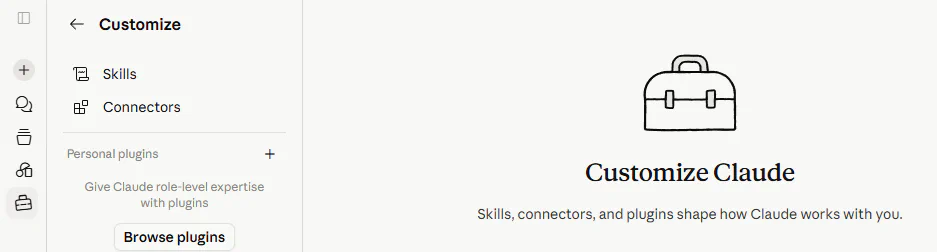
Click on Connectors, then the + symbol and then Add custom connector.
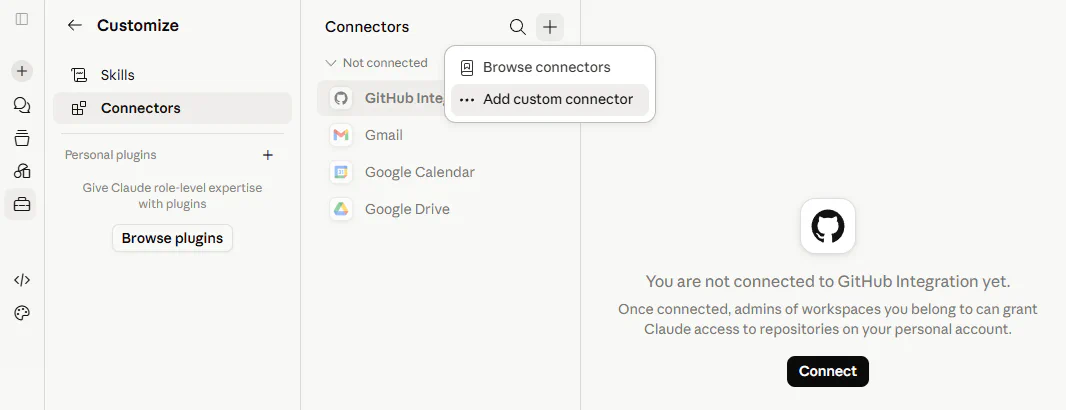
Fill in the name of the connector: FPGA Board Repository
Fill in the URL of the MCP server: https://boards.fpgadeveloper.com/mcp
The authentication options are not required. Click Add.
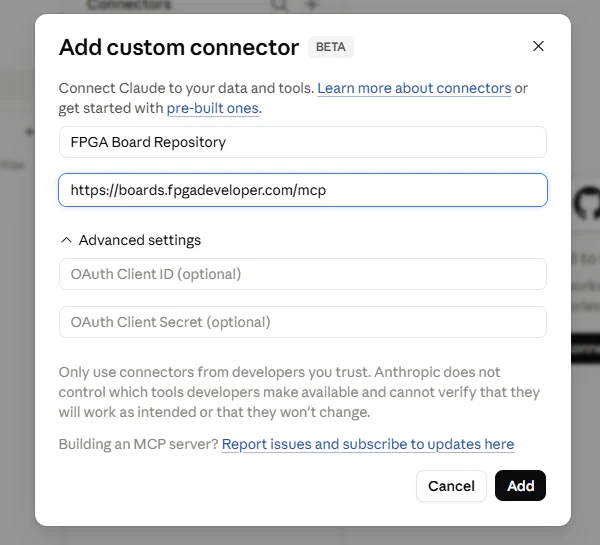
Set the tool permissions to your liking. I’ve set them to “Always allow”.
At this point, Claude.ai has the connector to the board repo’s MCP server, but chat sessions need to be aware of the connector. To allow chat sessions to find the connector, you need to go into your Claude.ai settings.
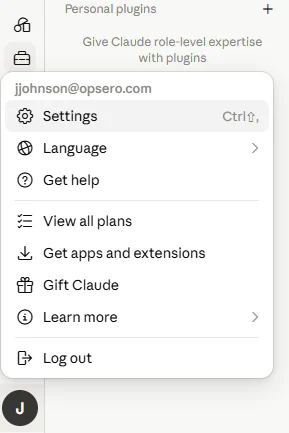
Then into Capabilities and the General section.
Load tools when needed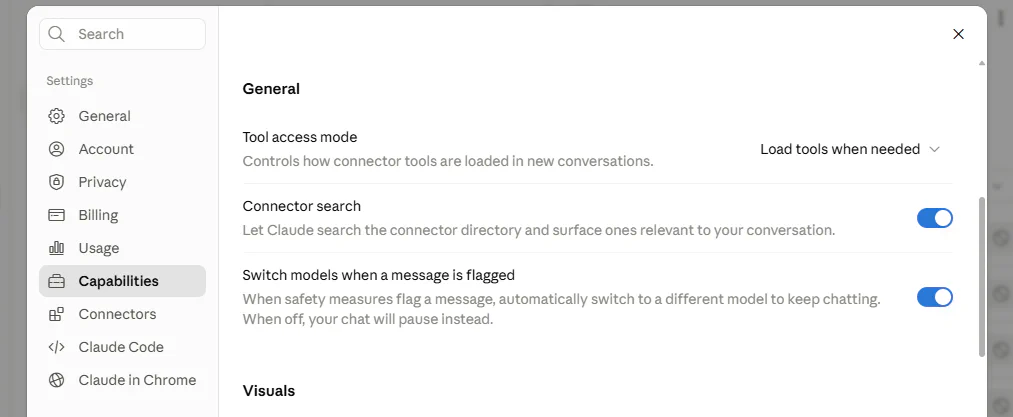
Now when you mention the “FPGA Board Repository”, it will be able to find the connector and know exactly what you are talking about.
Now we’re ready to start a new chat with Claude.ai and ask it to try out the new connector. For this example, I’ve gone with this prompt:
Use the FPGA Board Repository to find me the lowest priced dev board
with at least one QSFP28 cage and AMD silicon.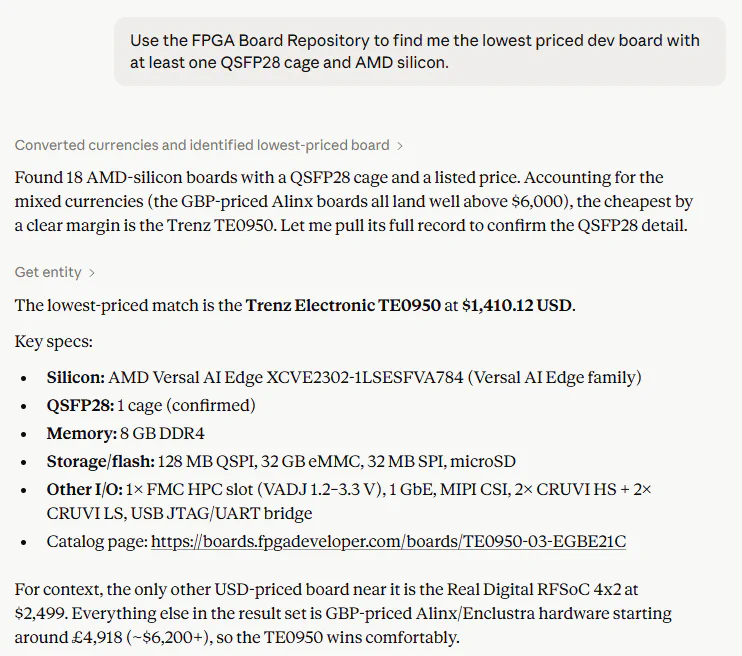
Of course, its easy enough to do that search yourself using the website. What I’ve shown is that Claude.ai was able to find the connector and use the MCP server.
Unfortunately ChatGPT’s web interface can’t yet connect to MCP servers, but I’m sure that’s coming in the not-to-distant future.
Now Claude.ai has access to the entire FPGA board repository and it can use that information to help you architect your next FPGA projects. Here are some ideas for things to try: