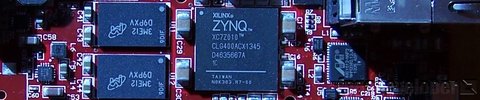
The AXI-Streaming interface is important for designs that need to process a stream of data, such as samples coming from an ADC, or images coming from a camera. In this tutorial, we go through the steps to create a custom IP in Vivado with both a slave and master AXI-Streaming interface. The custom IP will be written in Verilog and it will simply buffer the incoming data at the slave interface and make it available at the master interface - in other words, it will be a FIFO. We’ll test the custom IP using a DMA which we’ll use to push streaming data into the IP and pull data out of the IP. We’ll use an SDK application to setup these DMA transfers and compare the sent data with the received data. The hardware we use for testing this will be the MicroZed 7010, so this is a Zynq-7000 design.
[Read More]Creating a custom IP block in Vivado
Update 2017-11-01: Here’s a newer tutorial on creating a custom IP with AXI-Streaming interfaces
Tutorial Overview
In this tutorial we’ll create a custom AXI IP block in Vivado and modify its functionality by integrating custom VHDL code. We’ll be using the Zynq SoC and the MicroZed as a hardware platform. For simplicity, our custom IP will be a multiplier which our processor will be able to access through register reads and writes over an AXI bus.
[Read More]Create a Peripheral using the Peripheral Wizard
Tutorial Overview
In this tutorial we will create a simple project that uses our own IP peripheral (instead of using the XPS General Purpose IO peripheral provided by Xilinx) to read from the DIP switches and write to the LEDs. The software application will display the DIP switch values on the LED outputs and also send the DIP switch values to the UART.
Any custom logic (IP) that you design must connect to the PLB to communicate with the Microblaze processor. When connected to the PLB, the IP becomes part of the memory map accessible to the Microblaze. The IP will have a base address and a high address signifying where in the memory map it resides, and how much of the memory map it occupies. The Microblaze interacts with the IP as though it were part of the memory.
[Read More]Integrating a Blackbox into a Peripheral
Tutorial Overview
Sometimes we have an .ngc file from CORE Generator (or some other source) that we would like to bring into EDK as a peripheral. This project is a simple example of integrating a blackbox design into a peripheral generated by the Peripheral Wizard. We will first create a blackbox multiplier using the Xilinx CORE Generator and then we will use the generated .ngc file in our peripheral.
[Read More]Integrating a VHDL Design into a Peripheral
Tutorial Overview
This tutorial is similar to the previous one titled: Integrating a Blackbox into a Peripheral however in this case, instead of integrating an .ngc file into a peripheral, we integrate one or more VHDL files. Sometimes we have a VHDL design that we developed in ISE, or some other program, and we would like to bring it into the EDK as a peripheral. In this tutorial, we will create the same multiplier peripheral as was created in the previous tutorial.
[Read More]Manually Add a Peripheral to a Project
Tutorial Overview
In the previous example, we created a project using the BSB and all of the work related to the hardware design was done by the BSB. In this example, we will create the same simple project, but this time we will add the GPIO for the LEDs manually. This way we will learn the process of adding extra peripherals to our design and we will also better understand the hardware design features of XPS.
[Read More]Integrating a VHDL Design into a Peripheral
Overview
This tutorial is similar to the previous one titled: Integrating a Blackbox into a Peripheral however in this case, instead of integrating an .ngc file into a peripheral, we integrate one or more VHDL files. Sometimes we have a VHDL design that we developed in ISE, or some other program, and we would like to bring it into the EDK as a peripheral. In this tutorial, we will create the same multiplier peripheral as was created in the previous tutorial.
[Read More]Create a Simple Timer Peripheral
Overview
In this project, we will add code to a peripheral template generated by the Peripheral Wizard to create a simple timer. The timer peripheral will be used by the PowerPC to make the LEDs flash with a fixed period.
The timer will use two registers, one to store the delay period and the other for starting, stopping and checking if the timer has expired. We will call the first register the delay register and the second register the control register. The delay register will be set by the software application to determine how long of a delay it requires. This value will remain in the delay register unchanged and the software application will be able to read this value if for some reason it needs to. The control register will only use the first two bits, being bit 0 and bit 1. Bit 0 will be read-only and will be used by the timer peripheral to signal to the software application that the timer has expired. Bit 1 will be read and writeable, and it will be used by the software application to make the timer “run”. When a “1” is written to this bit, the timer will start counting down from the delay value. When a “0” is written to this bit, the timer will reset.
[Read More]Integrating a Blackbox into a Peripheral
Overview
Sometimes we have an .ngc file from CORE Generator (or some other source) that we would like to bring into EDK as a peripheral. This project is a simple example of integrating a blackbox design into a peripheral generated by the Peripheral Wizard. We will first create a blackbox multiplier using the Xilinx CORE Generator and then we will use the generated .ngc file in our peripheral.
The multiplier will take in two 16 bit unsigned inputs and have a 32 bit unsigned output. A single 32 bit write to the peripheral will contain the two 16 bit inputs, separated by the lower and higher 16 bits. A single 32 bit read from the peripheral will contain the result from the multiplication of the two 16 bit inputs. Instead of registers, we will use a read and write FIFO for the interface with the software application. In this way, the peripheral write FIFO can be loaded with a number of multiplications to perform, and the results can be pushed into the read FIFO for the software application to retrieve at its convenience. Practically, this design does not serve much purpose, but it is a simple demonstration of integrating blackbox designs into peripherals.
[Read More]Create a Peripheral using the Peripheral Wizard
Overview
In this tutorial we will create a simple project that uses our own IP core (instead of using the General Purpose IO core provided by Xilinx) to read from the DIP switches and write to the LEDs. The software application will display the DIP switch values on the LED outputs and also send the DIP switch values to the UART.
Any IP core must connect to the OPB (or PLB) to communicate with the PowerPC. When connected to the OPB, the IP core becomes part of the memory map accessible to the PowerPC. The IP core will have a base address and a high address signifying where in the memory map it resides, and how much of the memory map it occupies. The PowerPC interacts with the IP core as though it were part of the memory.
[Read More]