How to accelerate a Python function with PYNQ

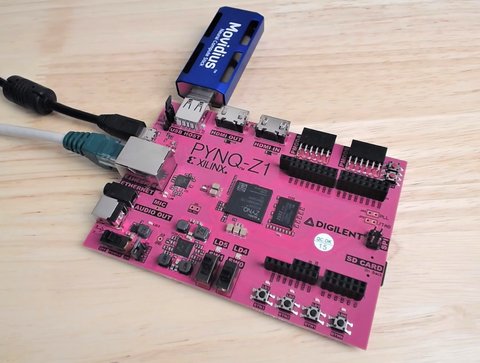
This video demonstrates how you would typically go about accelerating a Python function or algorithm on the Zynq-7000 with PYNQ. The function I chose to base this video on is the Finite Impulse Response (FIR) filter because the SciPy package contains the lfilter function which can be used for this purpose, and because the Xilinx IP catalog has a free FIR filter IP core. If you instead wanted to implement the accelerator in HLS, the process would be very similar, you would just have to design your accelerator with AXI-Streaming interfaces and ensure that the TLAST signals were properly managed.

[Read More]

Avnet Silica's industrial networking demo features Ethernet FMC

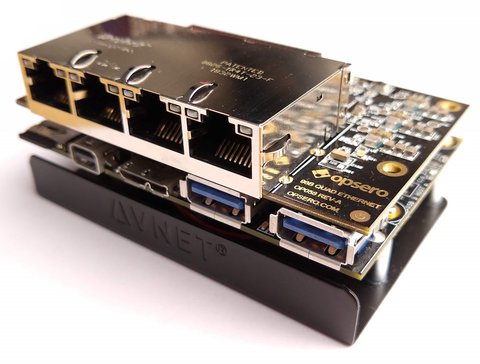
Avnet Silica was at Embedded World 2018 in Nuremburg, Germany last February demonstrating some cool industrial networking solutions such as TSN and FOSS GNU/Linux security concepts on Opsero’s Robust Ethernet FMC and the Zynq UltraScale+. Get a glimpse of the hardware at 0:54. If you saw the demo in person, I’d love to know what you thought of it.

Create a custom PYNQ overlay for PYNQ-Z1

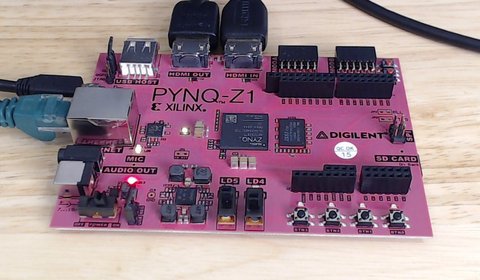
In this video tutorial we create a custom PYNQ overlay for the PYNQ-Z1 board. Probably the simplest PYNQ overlay possible, it contains one custom IP (an adder) with an AXI-Lite interface and three registers accessible over that interface: a, b and c. To use the IP we write a number to input registers a and b, and then we read the output register c which contains the sum of a and b. We create the IP in Vivado HLS, we then create the overlay in Vivado and bring the IP into our block design. Then we copy the overlay files (.bit and .tcl) over the network and onto the SD card of the PYNQ-Z1 board. Finally we open the Jupyter web application from a web browser and we write some Python code to test out our overlay and custom IP.

[Read More]

Python for the Zynq and the PYNQ-Z1

Being a big fan of Python, for ages I’ve wanted to explore the possibilities of running Python on the Zynq. Thankfully Xilinx and Digilent saw the value in this too and they developed the PYNQ-Z1 and more importantly the PYNQ libraries for Python. The PYNQ-Z1 is basically a single board computer based on the Zynq-7020 device from Xilinx. So thats got a dual core ARM plus integrated FPGA or programmable logic. The board runs Ubuntu Linux, it’s got Python installed and it has a file system on the micro SD card. The board’s got Gigabit Ethernet so you can connect this to your network and to the Internet. That’s useful for adding packages to Linux and the like but we also use the network interface to develop and run Python applications on the board. You see, the board runs the Jupyter web application. Jupyter allows us to program and run Python scripts through a web interface using a web browser (see screenshot below). This is pretty handy when you’re developing code for a single board computer because you typically don’t have a screen. With Jupyter, you’ve got an interactive web interface, so it’s got features like code completion, you can step through code blocks, display images and heaps of other things.

[Read More]
pynq 

IntelliProp Demos NVMe Host Accelerator on FPGA Drive

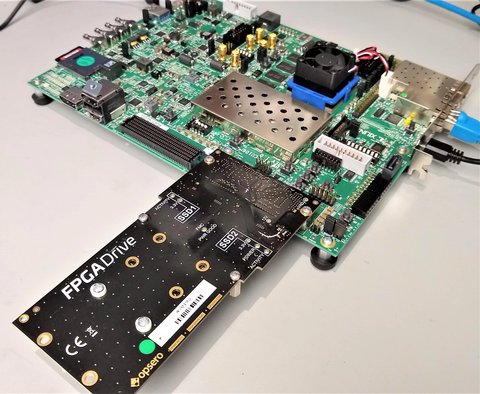
Early this year IntelliProp released a demo video of their NVMe Host Accelerator IP core running on the Intel Arria 10 GX FPGA Development board. As you can see in the video, they are using Opsero’s FPGA Drive product with the PCIe slot connector to interface the NVMe SSD to the FPGA board. They measured an impressive performance of around 2300MBps sequential write speed and 3200MBps sequential read speed. The FPGA Drive adapter was designed to fully handle Gen3 speeds precisely because these high throughputs are only possible with a Gen3 interface (note that M.2 SSDs have a 4-lane PCIe interface).

nvme 

Artix-7 Arty Base Project

Here’s a base project for the Arty board based on the Artix-7 FPGA. The Arty is a nice little dev board because it’s low cost ($99 USD) but it’s still got enough power and connectivity to make it very useful. I really like the fact that the JTAG and UART are both accessed through the same USB connector, so I only need to connect one USB cable. I also like the fact that I can power it from the USB connector alone - provided I don’t connect too many power hungry PMods or an Arduino shield.

[Read More]

Creating a custom AXI-Streaming IP in Vivado

The AXI-Streaming interface is important for designs that need to process a stream of data, such as samples coming from an ADC, or images coming from a camera. In this tutorial, we go through the steps to create a custom IP in Vivado with both a slave and master AXI-Streaming interface. The custom IP will be written in Verilog and it will simply buffer the incoming data at the slave interface and make it available at the master interface - in other words, it will be a FIFO. We’ll test the custom IP using a DMA which we’ll use to push streaming data into the IP and pull data out of the IP. We’ll use an SDK application to setup these DMA transfers and compare the sent data with the received data. The hardware we use for testing this will be the MicroZed 7010, so this is a Zynq-7000 design.

[Read More]

Quick look at the UltraZed-EG SoM

In this video I take a look at the features of the UltraZed-EG System-on-Module and the Zynq UltraScale+ MPSoC. As is typical for Avnet products, it’s a great deal with a price tag of only $485 USD, when the device alone (XCZU3EG-1SFVA625E) would cost you $354 USD. This SoM can’t be used as an SBC (single board computer), it needs a carrier card such as the UltraZed PCIe Carrier Card; this board will cost you $499 USD and has most of the hardware you need to exploit the Zynq UltraScale+ device to its full potential: Gigabit Ethernet, Display Port, PCIe, USB3 and SATA among others. And of course, all of these peripherals are routed through to the PS (hardened IP) of the ZU+, so you don’t need to use up any programmable logic to take advantage of them - so all of your FPGA can be dedicated to the implementation of your ’edge’, or whatever it is that makes your product better/faster/leaner than the competition’s.

[Read More]
zynqmp 

Getting Started with the MYIR Z-turn

In this video I create a simple Vivado design for the MYIR Z-turn Zynq SoM and we run a hello world application on it, followed by the lwIP echo server. We connect the Z-turn to a network, then we use “ping” and “telnet” to test the echo server from a PC that is connected to the same network.

[Read More]
zynq